
DocFlow, in-house development
No more
document chaos
Upload or connect your cloud and DocFlow does the rest: recognise, name, file, add deadlines. Then a chat answers questions about your own documents, with sources.
All references




Case study · Own product
DocFlow. AI assistant that recognises, names and files documents in your own cloud.
Documents that manage themselves.
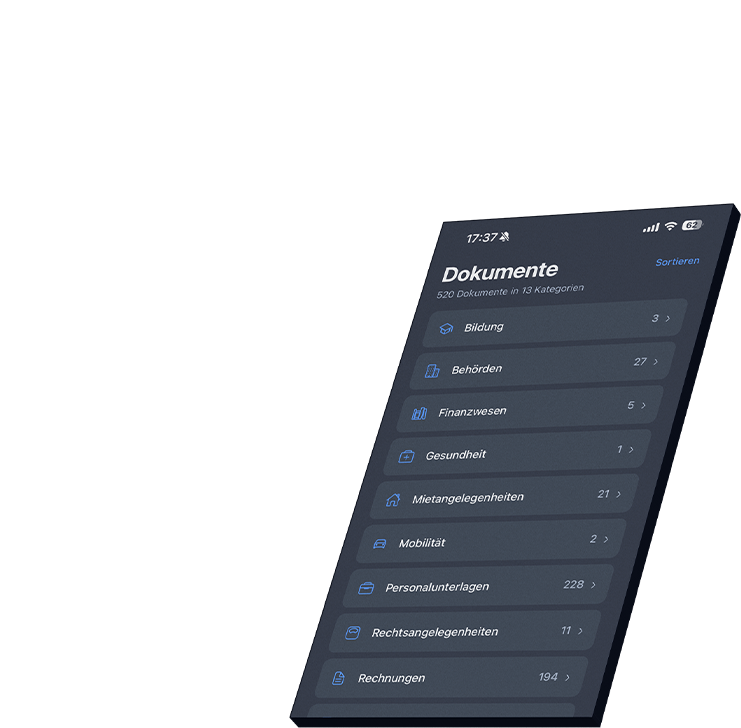
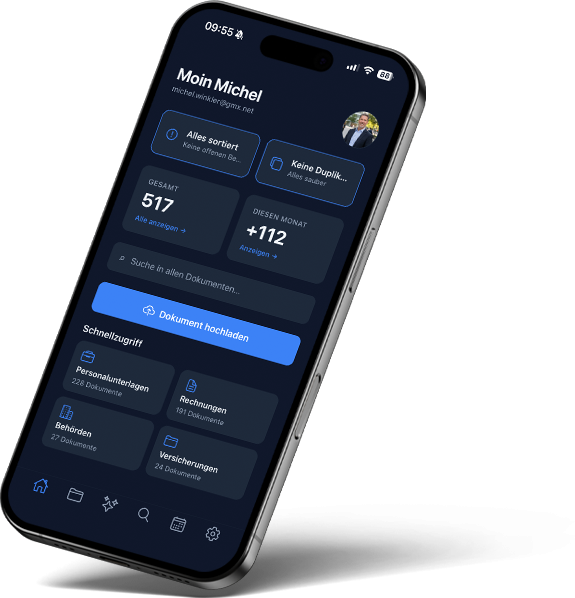
DocFlow is developed by ibx company: an AI assistant for personal paperwork such as invoices, contracts and letters from authorities. It recognises documents, names them and files them in the user’s own cloud, such as Google Drive or Dropbox. Deadlines arrive as a calendar subscription, and a chat answers questions about the documents with sources. DocFlow is available as a web app and for iPhone and Android.
- Company
- Own ibx product, personal use
- Services
- Idea, concept, design, development, operation
- Technology
- Web app and native app for iPhone and Android, AI by Google Gemini, Supabase
- Status
- 2026, in operation

Invoices, contracts, payslips, letters from the authorities. Anyone who wants to keep their documents in order sorts, names and moves them by hand.
That takes time every month, and at the crucial moment the letter you are looking for still cannot be found.
Our idea: documents should manage themselves. The user uploads a file or connects their cloud, and the system does the rest. Then they can ask a chat questions about their own documents, and over time this grows into a personal memory for all their paperwork.
Before
- Documents sorted, named and moved by hand
- Important letters impossible to find at the crucial moment
- Deadlines in contracts and letters overlooked
- Search only works with the exact words
- Files scattered across many folders and clouds
- Useruploads or connects the cloud
- DocFlowrecognises, names, sorts, finds
- Own cloudfiles stay in Google Drive or Dropbox
Connected Google Drive · Dropbox · Microsoft OneDrive · iCloud · Calendar via iCal · AI by Google Gemini
Functions
What DocFlow
can do.
Nine building blocks, one platform. The four moments below show what this looks like in everyday life.
Automatic classification
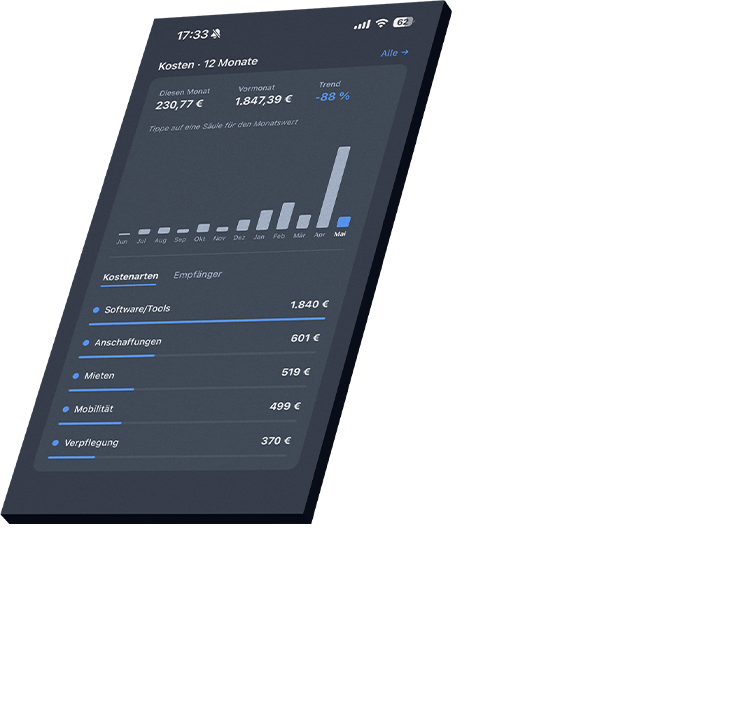
Category, type, sender, amounts and deadlines are detected in every document. More than 15 categories, over 80 document types.
Names and folders
Documents get a meaningful name and end up in the right folder.
Appointments, automatically
Deadlines and appointments go into the calendar with a reminder, available as an iCal subscription.
Semantic search
Search in natural language, even without knowing the exact terms.
AI chat with sources
Ask questions about your own documents, every answer with a matching source.
Your own cloud
Files stay in Google Drive or Dropbox, synced in both directions.
Duplicates and order
Duplicate documents are detected, empty folders are tidied up overnight.
Web and native app
As an installable web app and as an app for iPhone and Android.
Privacy by design
Only metadata is stored, row level security in the database, no tracking.
 Demo view
01Recognise
AI that really
understands documents.
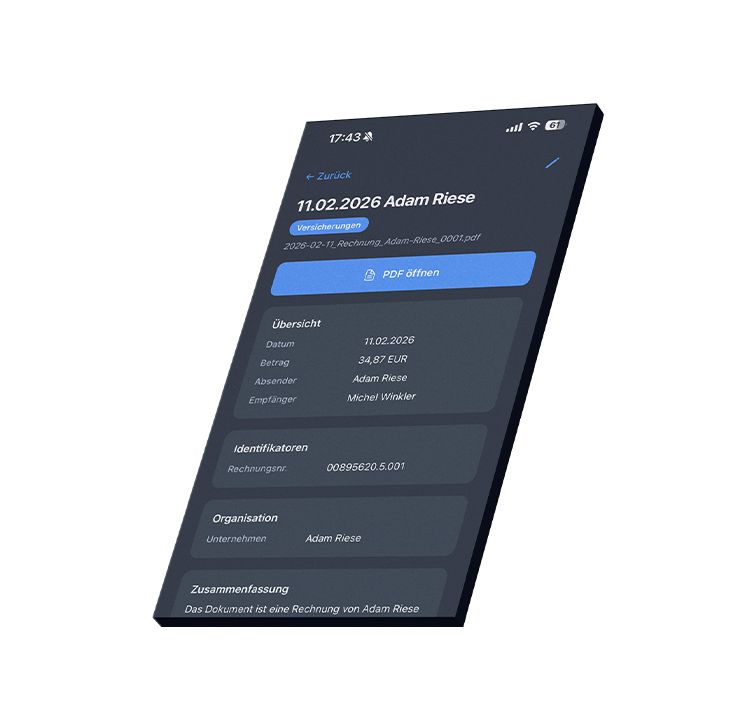
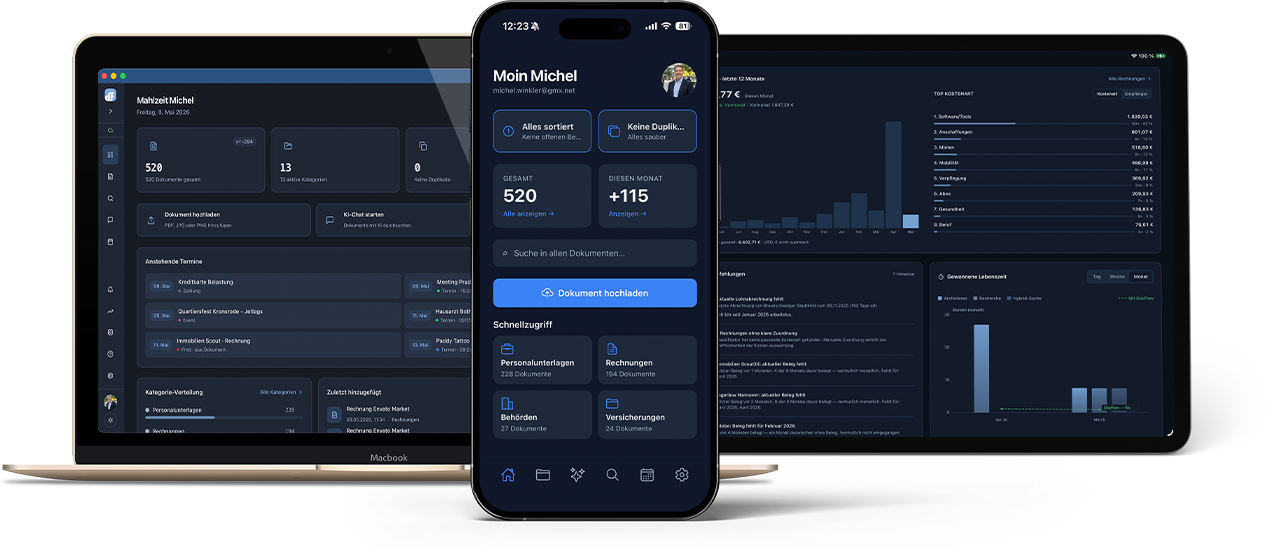
As soon as a document arrives, the AI analyses its entire content. DocFlow recognises more than 15 main categories and over 80 document types and extracts senders, amounts, invoice items and contract deadlines.
If the AI is unsure, it flags the document for review. And it learns: when the user corrects a classification, this feeds into all future decisions.
Decision in detailLearning instead of maintaining rules
- Challenge
- Fixed rules for every sender and every document type quickly go out of date and constantly need updating.
- Decision
- The AI reads the content and classifies it. If it is unsure, it asks instead of filing something in the wrong place. Every correction by the user feeds into future decisions.
- In daily use
- Over time, DocFlow sorts documents exactly the way the user would have done it.
- Categories and types
More than 15 main categories, over 80 document types.
- Extracting content
Senders, amounts, invoice items and contract deadlines.
- Flagged for review
If the AI is unsure, the user decides.
- Keeps learning
Corrections feed into all future classifications.
02Ask
Search and ask
in plain language.
Every document is converted into searchable vectors. This lets the search find content even when the exact words do not appear in the document. The question “How big was my last pay rise?” leads straight to the right payslip. A chat answers questions about your own documents and names the matching sources for every answer.
 Demo view
Decision in detailAnswers with sources
- Challenge
- An AI that answers freely sounds convincing, even when it is wrong. For your own documents, that is not enough.
- Decision
- The chat answers only from the user’s own documents and names the sources each answer comes from.
- In daily use
- Every answer can be checked against the original with one click.
- Semantic search
Finds content without the exact terms.
- AI chat
Questions about your own documents in plain language.
- Sources
Every answer names the documents it comes from.
- Personal memory
Over time, this grows into a knowledge store for your own documents.
 Demo view
03Automatic
Everything runs
in the background.
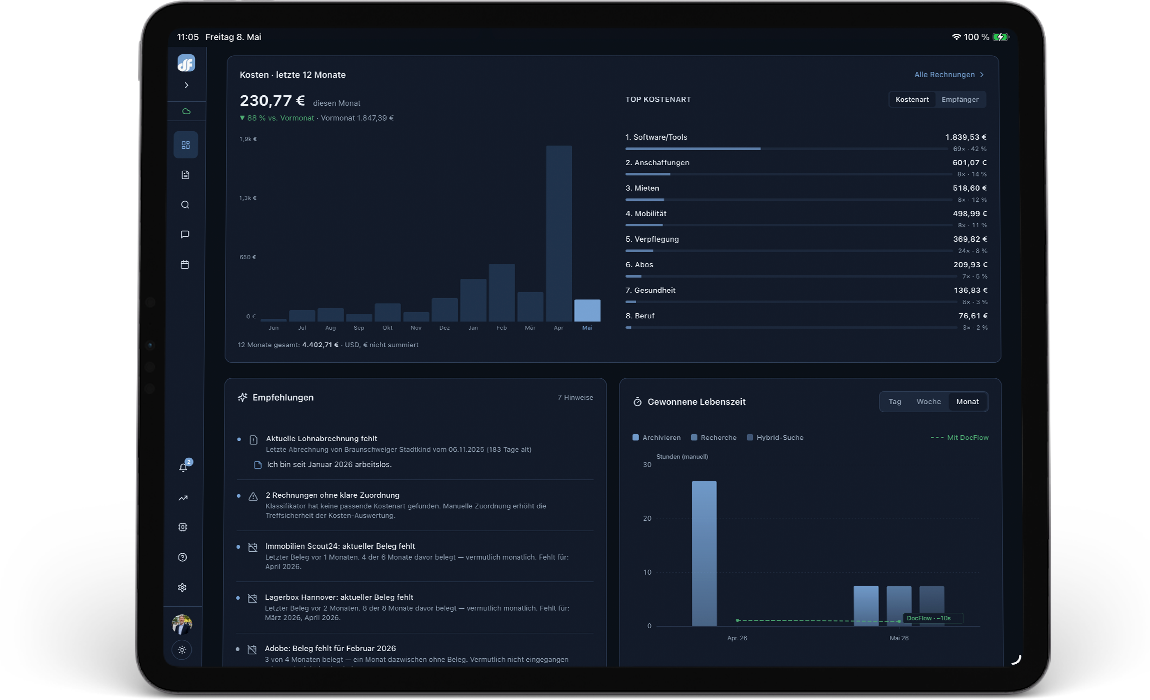
Upload, classification, tagging and filing run as one pipeline in the background. DocFlow syncs with Google Drive and Dropbox in both directions: changes in the cloud appear in the app immediately, changes in the app end up in the cloud automatically.
Duplicates are reliably detected, empty folders are tidied up overnight, and appointments also appear in your usual calendar via iCal.
Decision in detailConnecting instead of moving
- Challenge
- Anyone who already keeps their documents in a cloud does not want to move them or maintain two filing systems.
- Decision
- DocFlow works directly in the user’s cloud and syncs in both directions. Appointments go into the usual calendar via a calendar subscription.
- In daily use
- Nothing is maintained twice, and the order stays visible outside DocFlow too.
- One pipeline
Upload, classification, tagging and filing in one pass.
- Two way sync
Google Drive and Dropbox, changes appear on both sides immediately.
- Duplicates
Reliably detected.
- Calendar
Appointments via iCal in your usual calendar, with a reminder.
 Demo view
04Protect
Privacy, solved
from the ground up.
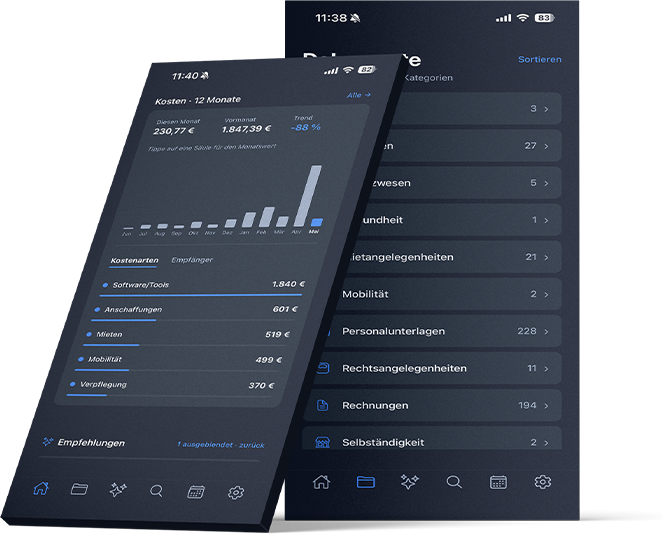
For us, privacy was never an add-on but the foundation. Files are never stored on our servers, only in the user’s own cloud. DocFlow stores only the metadata needed for order and search.
Everyone sees only their own data, technically enforced in the database, not just in the software.
Decision in detailThe file stays with the user
- Challenge
- Personal and business documents are among the most sensitive data there is. Every additional storage location is an additional risk.
- Decision
- DocFlow keeps no files, only metadata. Access tokens are stored encrypted in the database, and every connection is encrypted.
- In daily use
- No tracking, no advertising, no selling of data. GDPR compliant from the start.
- Only in your own cloud
Files are never stored on our servers.
- Row level security
Enforced in the database, everyone sees only their own data.
- Encrypted
Connections and access tokens.
- 30 days grace period
After that, deleted documents are removed permanently.
Result
More time for life,
less filing.
Every document that DocFlow files, finds or explains saves a few minutes. Across the invoices, contracts, payslips and official letters of a whole lifetime, this adds up to a lot of time that is left for more important things.
DocFlow brings together what ibx stands for: AI that understands, automation that takes work off your hands, clean integration with existing systems and privacy that is meant seriously. From the web app to the native app, all built by one team.
We use DocFlow’s building blocks, classification, deadline detection and answers with sources, in client projects wherever document work costs time.
- 012.5 minutes per document
for the filing DocFlow takes over: recognise, name, sort.
- 022 minutes per question
for a question about your own documents that the chat answers with a source.
- 032 minutes per search
for a document that the search finds in plain language.

“A tool I recommend to my clients with a clear conscience.”
User review“As an AI lecturer and strategy consultant, I regularly test tools that promise to simplify work processes. DocFlow actually keeps that promise. From a consultant’s point of view, I particularly value that original documents can stay in your own cloud if you wish: a decisive argument for SMEs, which are rightly sensitive about data protection. The AI powered full text search and the chat make the system much more than a place to store files.”
More voices on DocFlow
★★★★★
“As a product owner and project manager, I value digital solutions that make everyday life easier, and DocFlow does exactly that. The tool is my daily assistant that helps me organise personal documents clearly, find important information quickly and bring more order into my paperwork. That leaves more time for the things that really matter.”
 Ina HölzelTax Transformation Consulting & AI Strategy, Deloitte
★★★★★
“It has never been so easy to review and sort your documents and have them available in an overview almost fully automatically. I am absolutely delighted with DocFlow. Simply drag and drop the documents into the program and the sorting begins: duplicates are found, documents are named correctly and filed. Filing has never been this much fun.”
 Kristin DöringAmbassador of the Stiftung Finanzielle Bildung
★★★★★
“What I particularly like is the clarity and structure. You notice straight away that the topic was not only thought through technically but really comes from practice. Processes are mapped in an understandable way and at the same time simplified so much that you actually use them every day. For me, a well thought out solution that saves time, creates order and simply provides security in the long run.”
 Miriam ThieleManager for applied AI transformation
★★★★★
“With DocFlow, complex filing becomes an intuitive, time saving process thanks to an intelligent digital assistant. The solution guarantees a full overview at all times and allows a focused way of working without organisational overhead.”
 Ghislain Djanang TchamiSenior development engineer, team lead, AI manager
★★★★★
“DocFlow takes my entire document filing off my hands. The automatic naming and sorting into folders in particular helps me concentrate on what matters.”
 Pablo AlvarezAI transformation for SMEs, AI strategy
★★★★★
“The product is practical and makes work much easier. Usability is simple and partly self explanatory. Every company should look closely at exactly these topics and get help. An absolute recommendation from me.”
 Aileen JägerAI strategist and transformation consultant
Appointment
A similar process
in your company?
In a 30-minute initial call we clarify where the biggest lever is and what a first, manageable step looks like. Pick a free time right here. You receive a confirmation with a calendar entry and can move or cancel the appointment yourself.
Prefer to write? info@ibx-company.de
Choose a day for your initial phone call (30 minutes).
Loading your appointment …